I recorded a voiceover in a spare room with noticeable reverb. FineVoice cleaned it up quickly and made the narration sound much more polished.
Remove Reverb from Audio Online
Remove reverb from your recordings instantly with FineVoice AI. Reduce unwanted reflections and enhance your audio with cleaner, more professional sound. Get started for free - no login required.


Drag & drop audio here or click to upload
Supported formats: MP3, AAC, AMR, M4A, WAV · Max duration: 20 min · Max size: 30MB
Before & After
Original
00:00
Cleaned
00:00

4.9 / 5.0

Based on User Reviews

500+
Media Mentions & Features
10M+
Users Worldwide
Trusted by Creators, Leading Media, and AI Communities Worldwide











Remove Reverb & Restore Audio Clarity
Restore clarity to your recordings with our AI-powered reverb removal. It reduces unwanted reverb that makes audio feel distant or muddy. Whether you're working on podcasts, voiceovers, lectures, or interviews, FineVoice helps create cleaner, more balanced audio with improved clarity and a more professional listening experience.
Detect and Reduce Reverb Automatically with AI
FineVoice uses advanced AI to analyze your recordings and identify unwanted reverb automatically. It intelligently reduces room ambience and excessive reflections. Simply upload your audio and let the AI enhance your recording, delivering clearer and more natural-sounding results in seconds.
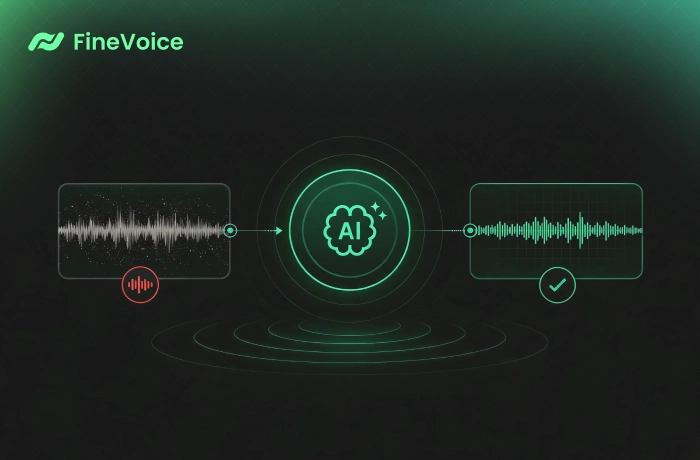
Preserve Natural Voice Quality While Reducing Reverb
Clean up audio recordings without losing the warmth and authenticity of the original voice. Our AI reverb remover reduces distracting room effects while maintaining vocal tone, emotion, and detail, ideal for podcasts, narration, online courses, interviews, and voice recordings that require clear, professional-quality audio.
Why Choose FineVoice AI Reverb Remover
Remove unwanted reverb effortlessly with AI. FineVoice delivers clear, natural-sounding audio through fast online processing, broad format support, and no sign-up required.

One-Click AI Enhancement
FineVoice AI automatically detects and removes reverb from your audio, improving voice clarity while preserving natural tone and delivering professional-quality audio.

Works in Seconds Online
Enhance your recordings quickly online with a simple upload, automatic processing, and instant download workflow, directly from your browser.

Supports Popular Formats
Eliminate reverb and enhance audio files in MP3, WAV, AAC, M4A, AMR, and other popular formats for flexible editing and seamless compatibility.

No Sign-Up Required
Remove reverb and echo instantly without downloads, installations, or account registration. Enjoy a fast and convenient online audio enhancement experience.
How to Remove Reverb from Audio Online
Remove unwanted reverb from your recordings in three simple steps. Upload your audio, let AI enhance it automatically, and download the cleaner result in seconds.
1
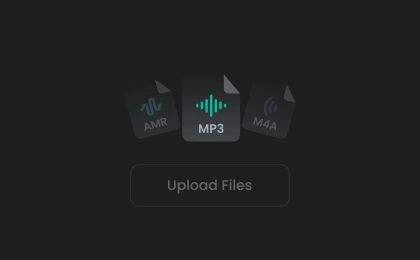
Step 1. Upload Your Audio
Upload your audio file by clicking or dragging it into the AI reverb remover.
2
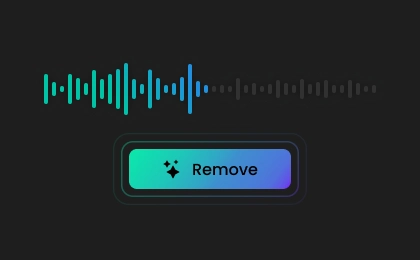
Step 2. Remove Reverb
Choose your preferred output format, then click "Remove Reverb" to let AI handle the enhancement process.
3
Step 3. Save Cleaned Audio
Once done, preview the enhanced result and save the cleaner, clearer recording for sharing, editing, or publishing.
Common Use Cases for AI Reverb Removal
Reduce reverb and improve audio clarity for every recording. FineVoice AI Reverb Remover helps you create cleaner, more professional sound across a wide range of audio projects.
Podcasts & Voiceovers
Online Courses & Lectures
Interview Recordings
Music & Vocal Demos
Podcasts & Voiceovers
Reduce reverb from bedrooms, home studios, and office recordings to make podcasts and voiceovers sound clearer, more professional, and polished.
What Users Say About Our AI Reverb Remover
 Rated 5
DV
Dorian Vale
Rated 5
This AI reverb remover worked exactly as expected. My lecture recordings became cleaner after the reverb was reduced.
AR
Anika Rohe
Rated 5
The process is simple, and the improvement in audio clarity was immediately noticeable. Good reverb removal tool.
SA
Silas Arden
Rated 5
This is one of the easiest audio enhancement tools I've used. It reduced room reverb while keeping my voice clear and completely natural.
EV
Elena Vos
Rated 5
FineVoice reduced the unwanted ambience while keeping my narration natural, making every chapter sound more consistent and enjoyable to listen to.
RM
Ronan Mercer
Rated 5
I needed to improve several interview recordings captured in a conference room. The AI removed the distracting reverb, saving me hours of manual editing and making every conversation much easier to understand.
TB
Talia Brenner
Rated 5
I tested the tool on a vocal demo recorded in a reflective room, and the results exceeded my expectations. The excessive reverb disappeared while the emotion and character of my voice remained completely intact throughout the recording.
LN
Leif Norberg
Rated 5
The AI-powered tool automatically reduced room reverb, making my lessons sound professional with minimal effort.
NS
Nadia Sevrin
Rated 5
I've tried several online reverb removal tools, but FineVoice delivered the best balance between reverb reduction and natural voice quality. It processed my recordings quickly and produced clean, professional-sounding audio.
CH
Cedric Halden
More Than Just an AI Reverb Remover
In addition to reverb removal, FineVoice offers a range of specialized AI audio enhancement tools to transform your recordings into clean, studio-quality sound.
FAQs About FineVoice AI Reverb Remover
1. What file formats are supported?
Our AI reverb remover supports popular audio formats, including MP3, WAV, M4A, AAC, AMR, and more, ensuring compatibility with most recordings.
2. Is this reverb remover free to use?
3. Do I need technical skills to use the tool?
4. How fast does the AI remove reverb?
5. Is it safe to upload my files online?
 FineVoice
Ready to Remove Reverb from Your Audio?
Easily remove reverb to make your audio clearer with FineVoice AI. Try the free reverb removal tool and get clean, professional-sounding audio in seconds—no software or sign-up required.

FineVoice removed the reverb from my podcast recordings and didn't make my voice sound artificial. The result was much clearer.
Maren Kline