It works fast for me. Remove hiss and electrical noise in seconds without affecting my voice. My recordings sound much cleaner now, and I can publish content much faster.
AI Audio Static Remover Online
Remove static from audio instantly with FineVoice AI noise remover. Eliminate hiss, distortion, and electrical hum in one click—no setup or skills required.


Drag & drop audio here or click to upload
Supported formats: MP3, AAC, AMR, M4A, WAV · Max duration: 20 min · Max size: 30MB
Before & After
Original
00:00
Cleaned
00:00

4.9 / 5.0

Based on User Reviews

500+
Media Mentions & Features
10M+
Users Worldwide
Trusted by Creators, Leading Media, and AI Communities Worldwide











Transform Your Recordings into Clean, Professional Audio without Static Noise
Say goodbye to distracting static, hiss, and electrical noise and achieve clean, professional audio instantly with FineVoice. Eliminate unwanted noise while improving overall sound quality, making your recordings clearer, smoother, and ready for podcasts, videos, or voice content.
Automatically Detect Subtle Static Noise with AI
Using advanced AI audio analysis and enhancement technology, FineVoice identifies even subtle static noise, including hiss, buzz, and electrical interference. It precisely targets these noises without affecting your main audio, ensuring effective cleanup while preserving the integrity of your recording.
Preserve Voice Tone, Clarity, and Emotional Expression
While removing static noise, FineVoice maintains your voice's natural tone, clarity, and emotional expression. The audio stays smooth and authentic—without distortion or over-processing—so your recordings sound clean, balanced, and natural to listeners.
More Benefits of FineVoice Audio Static Remover
With AI-powered precision, consistent results, and one-click simplicity, FineVoice makes professional-quality sound accessible to everyone.

1-Click Removal
Remove static noise instantly with one click, saving time without complex tools, manual editing, or any technical audio skills required.

Fast Processing
Clean and enhance your audio in seconds with AI-powered processing, delivering quick results without long waiting times or complicated workflows.

Natural Sound
No over-processing and distortion while removing noise. Keep your audio natural, balanced, and true to the original voice and tone.

Consistent Results
Get reliable, high-quality audio results across different recordings and environments, ensuring your sound stays clean, clear, and professional every time.
How to Remove Static Sound from Audio with AI
Follow these simple steps to remove background static from audio with FineVoice AI, eliminating distracting sizzles and crackles in seconds for a clean, professional sound.
1
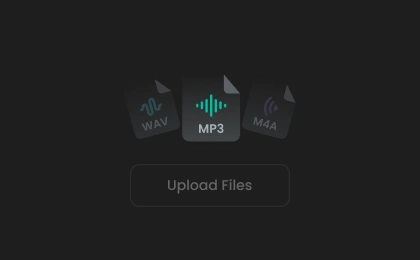
Step 1. Upload Audio
Click to upload or drag your audio file into the AI static noise remover. You can also record audio directly on the website.
2
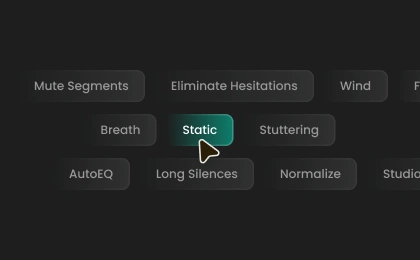
Step 2. Remove Static Noise
Select an export format, or leave it as auto. Then, click "Remove Static" to eliminate hiss, buzz, and electrical interference from your audio.
3

Step 3. Download Cleaned Audio
The process takes a short while. Once complete, you can preview and download the final audio file in your selected format.
How AI Static Noise Removal Helps in Real Scenarios
Whether you're creating content or fixing old audio, FineVoice helps you effortlessly remove static noise from any recording to achieve clean, professional sound.
Podcast Recordings
Voiceovers & Narration
Online Meetings & Interviews
Video Content Creation
Podcast Recordings
Struggling with "sizzles" and "crackles" ruining your podcast audio? Remove hiss and interference instantly, so your episodes sound clear, professional, and enjoyable without spending hours fixing audio issues.
What Users Say About Our Audio Static Remover
 Rated 5
MB
Marcus Bennett
Rated 5
This is one of the easiest audio tools I’ve used. I uploaded my file, clicked once, and the static noise was gone. Beginners can use it without any trouble.
DH
Daniel Hughes
Rated 5
Excellent job. My voice sounds much richer and easier to understand. It feels like studio-quality audio without needing expensive equipment.
SD
Sophie Dubois
Rated 5
I often record in less-than-ideal environments, and this tool saves me every time. It removes static, hum, and noise effectively while keeping my voice natural and balanced. I love it.
CM
Carlos Mendez
Rated 5
The results are consistent. Whether it’s a short clip or a longer recording, the tool always delivers clean, professional audio with minimal effort.
JL
Jason Lee
 Rated 4
FineVoice does a great job removing static noise and improving clarity. Occasionally, I make small adjustments afterward, but it still saves me a lot of time compared to manual editing.
HC
Hannah Collins
Rated 4
The tool is very easy to use and works quickly. It removes most of the static and background noise effectively. I just wish there were a few more customization options.
RC
Ryan Cooper
Rated 4
I’m happy with the results overall. The static noise is mostly gone, and the audio sounds cleaner. It’s a very usable tool.
LR
Luca Romano
Rated 4
It works well for cleaning up noisy recordings and improving clarity. Sometimes the results aren’t perfect with very poor audio, but for most use cases, it performs reliably and efficiently.
AK
Aisha Khan
More Than Just Static Remover from Audio
Besides static noise removal, FineVoice offers a range of specialized AI audio enhancement tools to transform your recordings into clean, studio-quality sound.
FAQs About Removing Static from Audio
1. How to remove static noise from recorded audio?
Upload your recorded audio to FineVoice's Static Remover, then click to let AI remove static, hiss, and other unwanted noise automatically. The tool cleans your audio in just seconds and delivers a clear, polished result ready to save or share.
2. Will removing static noise affect the voice quality?
3. What formats does this static noise removal support?
4. How long does it take to remove static from an audio file?
5. Do I need audio editing experience to use this tool?
6. Is the audio static remover free to use?
 FineVoice
Remove Static Noise from Your Audio Instantly
Ready to clean up static noise in your audio? Use our free AI tool to remove hiss, electrical hum, and unwanted interference. Get clear, professional-quality sound in seconds—no sign-up required.

FineVoice completely removed the static noise from my podcast recordings. The difference was immediately noticeable—clean, clear, and much more professional. I didn’t need any editing skills, which made the whole process incredibly easy.
Elena Petrova