Really impressed by how fast this silence remover works. I uploaded my audio and got a clean version within seconds. The silence removal feels natural and doesn’t affect the voice quality.
AI Audio Silence Remover Online
Remove long silences or pauses from any audio file to make it more engaging, concise, and professional.


Drag & drop audio here or click to upload
Supported formats: MP3, AAC, AMR, M4A, WAV · Max duration: 20 min · Max size: 30MB
Before & After
Original
00:00
Cleaned
00:00

4.9 / 5.0

Based on User Reviews

500+
Media Mentions & Features
10M+
Users Worldwide
Trusted by Creators, Leading Media, and AI Communities Worldwide











Remove Silence from Audio for Smoother, More Professional Sound
Our AI Silence Remover automatically removes pauses and dead air from your audio, making recordings tighter and more engaging with smooth, professional-quality sound—online, free, and with no sign-up required.
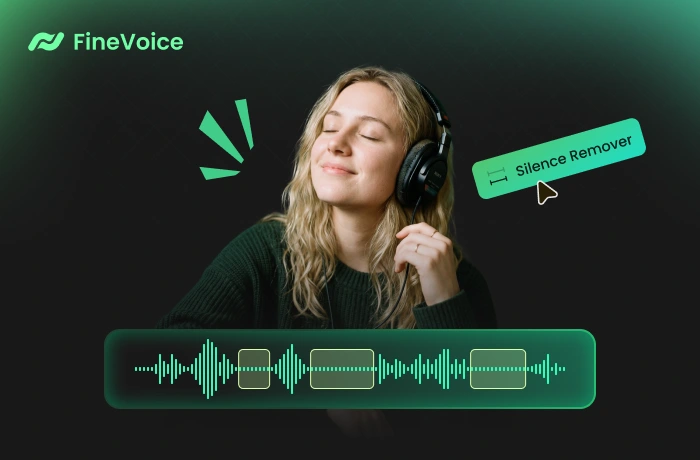
Is Your Audio Full of Pauses? Clean It Instantly with AI Silence Remover
Want to cut out awkward pauses and dead air in your recordings? Our AI audio silence remover automatically detects and removes silence from your audio in seconds, turning raw recordings into polished content quickly and effortlessly.
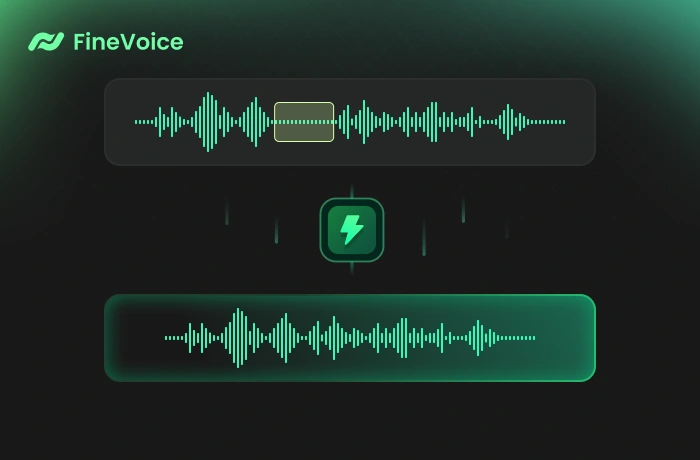
Improve Pacing & Listener Engagement by Removing Silent Segments
Remove awkward pauses and dead air to make your audio smoother, more natural, and closer to studio-quality production. Create a seamless listening experience that keeps your audience engaged from start to finish, perfect for podcasts, YouTube talking-head videos, audiobook narration, and online course recordings.

What Makes FineVoice AI Silence Remover Stand Out
Built for speed and precision, FineVoice AI Silence Remover automates silence removal and streamlines your workflow, making it easy to produce clean, natural-sounding audio in seconds.

Smart Silence Detection
Our AI Silence Remover intelligently analyzes your audio waveform to detect long pauses, silence, and speech breaks. Refine your recordings effortlessly, saving hours of work and making the process significantly faster than traditional methods.

Batch Audio Enhancement
Remove silence from multiple audio files at once with powerful batch processing. Whether you're editing podcast series, video content, or large recording projects, save time while maintaining consistent, high-quality results across all files.
Remove silence from audio in bulk →
Studio-Quality Results in One Click
Simply upload your audio, let AI automatically analyze and remove silence, then download polished results instantly. No manual editing or software needed—everything works smoothly online in just a few clicks.
How to Remove Silence from Audio with FineVoice
Follow these simple steps to remove silence from your audio files with the free AI Silence Remover.
1
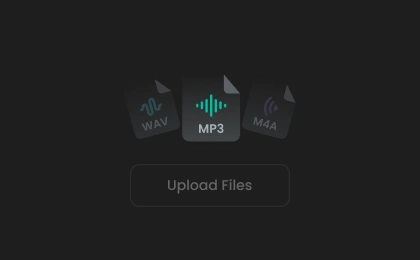
Step 1. Upload Audio
Click to upload or drag your audio file into the AI audio silence remover. You can also record audio directly on the website.
2
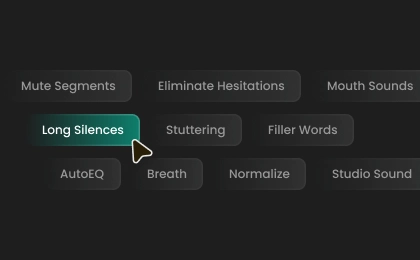
Step 2. Remove Silence from Audio
Select an export format, then click the "Remove Silence" button to instantly remove all silence from audio.
3

Step 3. Download Cleaned Audio
The process takes a short while. Once complete, you can preview and download the final audio file in your selected format.
How AI Silence Remover Helps You in Real Situations
Designed for everyday use, AI Silence Remover adapts to different scenarios, helping you refine audio, improve clarity, and deliver consistent, high-quality results with minimal effort.
Podcast Editing
Audiobooks & Voiceover Production
Online Courses & Educational Content
Meetings & Webinar Recordings
Podcast Editing
Podcasters can use the AI silence remover to trim long gaps and awkward pauses, making conversations tighter and more engaging without manual editing or time-consuming production work.
What Users Say About Our Audio Silence Remover
 Rated 5
AM
Arjun Malhotra
Rated 5
The interface is simple, but the results are powerful. I can process multiple files quickly and get consistent quality every time. It’s now part of my regular workflow for both video and audio projects.
TM
Théo Marchand
Rated 5
Batch processing is a huge plus. I worked on multiple audio files at once and saved a lot of time. The results are consistent across all files.
EN
Elias Nørgaard
Rated 5
This audio silence removal tool completely changed my podcast editing workflow. It removes pauses instantly and makes conversations sound much tighter without any manual effort. Super helpful and easy to use.
LK
Lila Kavanagh
Rated 5
FineVoice AI Silence Remover is one of the most useful tools I’ve tried recently. It accurately detects pauses and cleans up my recordings without damaging the natural rhythm. My podcast episodes now sound much more polished and professional.
CV
Camila Verdugo
Rated 5
Simple and efficient. I like how it removes silence without making the audio feel rushed. Perfect for my social media videos and voiceovers.
ST
Sora Takahashi
Rated 5
I’ve tested several silence removal tools, and this one feels the most reliable. The processing is fast, and the results sound clean and natural. It’s especially helpful when editing interviews recorded remotely with lots of gaps.
IE
Idris El-Farouqi
Rated 5
What I appreciate most is how natural the output sounds. It removes silence without making speech feel unnatural or rushed. It works perfectly for voiceovers, tutorials, and any spoken content that needs refinement.
LB
Lucas Bittencourt
 Rated 4
This tool saves me hours of editing every week. I use it for online course recordings, and it makes my lessons shorter and clearer. Students have even commented that the pacing feels much better now.
AP
Anya Petrova
More Than Just an AI Silence Remover
Go beyond silence removal—use more AI voice enhancement tools to clean and improve your audio.
FAQs About Removing Silence from Audio
1. How do you remove silences?
Simply upload an MP3, WAV, or other audio files to our AI Silence Remover. The AI automatically identifies long pauses and silent gaps, removing them in seconds for clean, polished audio.
2. What file formats do you support?
3. Is there a file size limit?
4. How long does processing take?
5. Will removing silences reduce quality?
6. Do I need to create an account?
 FineVoice
Ready to Remove Silence from Your Audio?
Instantly remove long silences, awkward pauses, or dead air from your audio to improve pacing and listener engagement. Try AI silence remover for free, no sign-up.

Great for cleaning up voice recordings. It cuts out unnecessary gaps while keeping everything sounding smooth and natural.
Matteo Ricciardi