Works surprisingly well. It catches most “um” and “uh” automatically in webinar recordings while keeping the speech flow natural.
Remove Filler Words from Audio in Seconds
Automatically remove filler words from audio to create cleaner, more confident, and more professional-sounding recordings in seconds.


Drag & drop audio here or click to upload
Supported formats: MP3, AAC, AMR, M4A, WAV · Max duration: 20 min · Max size: 30MB
Before & After
Original
00:00
Cleaned
00:00

4.9 / 5.0

Based on User Reviews

500+
Media Mentions & Features
10M+
Users Worldwide
Trusted by Creators, Leading Media, and AI Communities Worldwide











Remove Filler Words from Audio | Online, No Sign-up
Use FineVoice AI to remove filler words from podcast recordings, voiceovers, and presentation narration, delivering a cleaner, tighter, and more engaging listening experience for your audience. Get started online for free, no software installation or editing expertise needed.
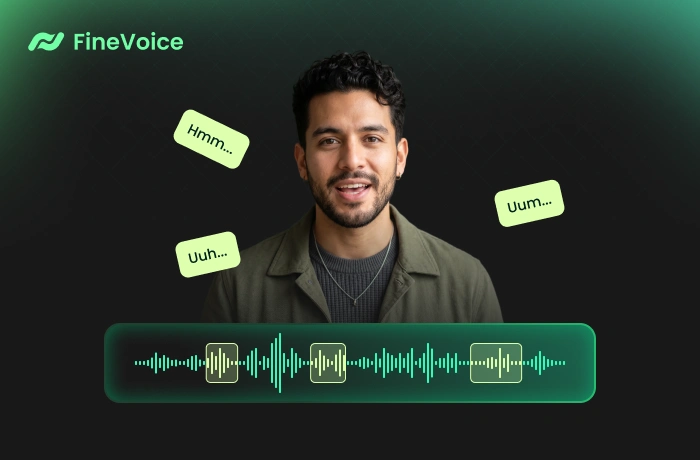
FineVoice Filler Word Remover: Faster Editing & Better Audio
FineVoice Filler Word Remover helps reduce hours of manual editing by automatically removing filler words and streamlining post-production. It removes filler words (e.g., "um," "uh," "eh," "you know," "like," "ss-") to make your audio sound more confident, concise, and polished in just seconds.
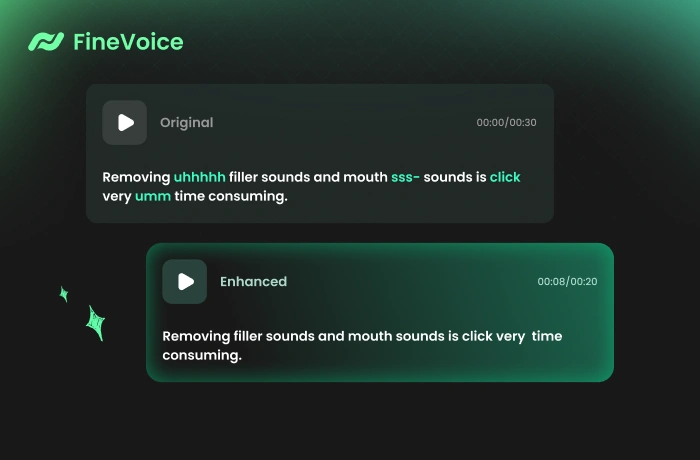
Improve Audio Clarity and Professionalism with Filler Words Removal
Let FineVoice refine your audio in podcasts, YouTube videos, online courses, interviews, voiceovers, and webinar recordings, making spoken content cleaner, smoother, and more professional. Remove unnecessary words that interrupt the speech flow to improve the listener experience while saving editing time.
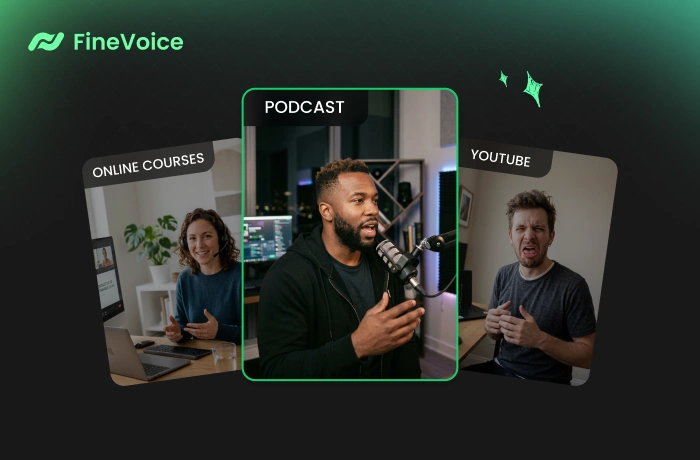
Powerful AI Filler Word Remover for Cleaner Audio
Whether you're working on podcasts, YouTube videos, online courses, or voiceovers, FineVoice helps your message come through without distractions.

Smart Filler Word Detection
Automatically identify filler words such as "um," "uh," "like," and "sss-" and repeated phrases with AI-powered speech analysis.

Natural Speech Preservation
Remove filler words while keeping your speech rhythm, tone, and sentence flow sounding natural and human, consistently delivering professional-quality results.

One-Click Speech Refinement
Hassle-free filler word removal with just one click. Upload audio files and let FineVoice do the rest—no manual editing required, streamlining your workflow and saving time.

Batch Audio Cleanup
FineVoice AI Voice Enhancer features powerful batch processing, enabling you to eliminate unnecessary words or phrases from multiple audio files at once.
How to Remove Filler Words from Speech Online
Follow these simple steps to remove filler words from your audio in just a few clicks. With AI-powered filler word removal, you can eliminate unwanted words like "um" and "uh" to refine your recordings in seconds.
1
Step 1. Upload Audio
Click or drag to upload your audio files to the AI filler word removal tool. You can also record your audio directly in this service.
2
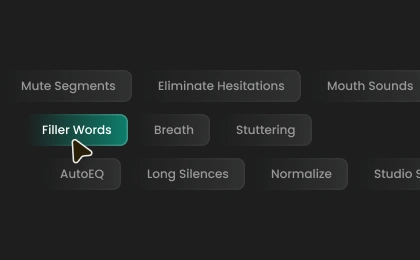
Step 2. Remove Filler Words
Select an export format, or leave it as auto. Then, click "Remove Filler Words" to instantly eliminate unnecessary verbal words from your audio.
3
Step 3. Download Audio
The process takes just seconds. Once complete, you can preview and save the cleaned audio as an MP3, WAV, FLAC, or M4A file.
How AI Filler Word Removal Helps in Real Scenarios
Whether for podcasts, voiceovers, YouTube videos, or educational content, FineVoice helps you remove filler words and produce cleaner, more confident audio handily.
Podcast Editing
Voiceover Production
Online Course Recording
YouTube & Talking-Head Videos
Podcast Editing
Podcast hosts and interview creators can remove filler words like “um” and “uh” from conversations to create tighter, smoother episodes that sound more polished and keep listeners engaged.
What Users Say About Our Filler Word Remover
 Rated 5
RM
Rohan Mehta
Rated 5
FineVoice saves me hours every week editing course videos. Removing filler words used to take forever, but now it’s almost instant.
MD
Mireille Dupont
Rated 5
Very impressed by the speed and quality. I uploaded several voice recordings and got polished, filler-free versions in minutes. Huge workflow improvement.
EM
Enzo Moretti
Rated 5
Perfect for online course narration. It helps my lessons sound clearer and more concise without requiring any complicated editing.
SD
Saskia de Wit
Rated 5
I’ve tried other filler word removers before, but FineVoice gives the most natural results. It doesn’t over-edit or make the speech sound robotic.
IV
Idris Vaughan
Rated 5
Simple to use and very effective. My presentation recordings now sound far more professional after removing repeated words and verbal pauses.
MB
Marisol Benitez
Rated 5
FineVoice's AI voice enhancer has become one of my favorite editing tools. It removes awkward filler words while keeping conversations natural and easy to follow.
TM
Thalia Mercer
Rated 5
Great for YouTube voiceovers. My recordings sound more confident and professional after cleaning up all the little hesitations.
LP
Lachlan Price
 Rated 4
The AI does a very good job identifying filler words without making the audio sound choppy. Much better than expected.
NA
Noor Alavi
More Than Just an AI Filler Word Remover
Go beyond filler removal—clean and enhance your audio instantly with powerful AI tools.
FAQs About Removing Filler Words
1. What types of filler words can the tool remove?
Powered by advanced AI, the filler remover automatically identifies and removes unnecessary spoken words and sounds such as "um," "uh," "like," "you know," and repeated phrases that interrupt the flow of speech.
2. Will removing filler words affect audio quality?
3. Can I remove filler words from multiple files at once?
4. What audio formats are supported?
5. Can removing filler words improve podcast or video quality?
6. Do I need editing experience to use this tool?
7. Do I need to create an account?
 FineVoice
Ready to Remove Filler Words from Your Audio?
Instantly remove filler words and repeated phrases from your audio to improve pacing and listener engagement. Try FineVoice AI filler word removal for free, no sign-up or software required.

This tool cleaned up my podcast recordings so much faster than manual editing. It removed filler words naturally and made the sound much more polished.
Celeste Vaughn