Great tool. It enhances clarity and removes distractions, but does not make the voice sound unnatural. I’ve started using it for every episode because it makes everything sound much more professional.
AI Podcast Audio Enhancer Online
Enhance your podcast audio in seconds with FineVoice AI. Remove background noise, balance volume levels, and improve voice clarity to achieve clean, professional, studio-quality sound. No sign-up required.


Drag & drop audio here or click to upload
Supported formats: MP3, AAC, AMR, M4A, WAV · Max duration: 20 min · Max size: 30MB
Before & After
Original
00:00
Enhanced
00:00

4.9 / 5.0

Based on User Reviews

500+
Media Mentions & Features
10M+
Users Worldwide
Trusted by Creators, Leading Media, and AI Communities Worldwide











Make Podcast Word Crystal-Clear with FineVoice AI
Enhance voice clarity to make every word easier to understand. Our AI podcast audio enhancer intelligently sharpens speech and reduces muddiness, ensuring your podcast sounds crisp and focused. Whether recorded in quiet or noisy environments, your voice remains clear, natural, and easy for listeners to follow.
Remove Background Noise from Podcast Recordings
Remove unwanted background noise such as static, wind, traffic, or ambient sounds. FineVoice uses artificial intelligence to isolate speech and clean up your recordings without affecting voice quality, helping you produce distraction-free audio that sounds more professional and polished—no manual editing required.
Eliminate Echo & Reverb in Podcasts
Reduce echo and reverb caused by large rooms or poor recording environments. FineVoice minimizes unwanted reflections while preserving the natural voice tone, making your podcast sound more direct and studio-like, rather than distant or hollow.
Automatically Balance Podcast Audio Levels
Automatically balance audio levels across your recording to ensure consistent volume. The podcast voice enhancer automatically adjusts loud and quiet sections for a smooth listening experience, preventing sudden changes and making your podcast more comfortable and professional for listeners.
Why Choose FineVoice Podcast Audio Enhancer
From interviews to solo and narrative podcasts, FineVoice instantly cleans and enhances your audio. See why it’s a top choice for creators seeking studio-quality sound.

Automatic AI Audio Cleanup
Automatically remove static, echo, and background noise with AI, delivering clean, polished podcast audio without manual editing or technical skills.

Studio-Quality Podcast Sound
Create clean podcast audio with a clear voice, balanced volume, and natural sound, delivering studio-quality results ready for publishing.

One-Click Enhancement
Enhance podcast audio instantly with one click, eliminating complicated editing steps and saving time during your production workflow.

Easy-to-Use Interface
Enhance podcast audio easily with an intuitive interface designed for both beginners and professionals, no complex tools or learning required.

Secure Audio Processing
Process your audio securely with enterprise-grade protection, ensuring your files remain private and safe throughout the entire enhancement process.

Export-Ready Podcast Audio
Download high-quality audio files ready for publishing on podcast platforms like Spotify or Apple Podcasts, with no additional processing required.
How to Improve Podcast Audio Quality
Get cleaner, clearer podcast audio in just a few steps. Here's how to enhance your recordings and achieve professional-quality sound quickly.
1
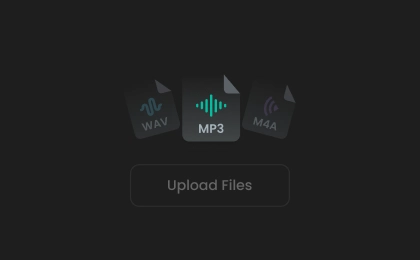
Step 1. Upload Podcast Audio
Upload your podcast audio by clicking to select a file or dragging it directly from your device into the free podcast audio enhancer online.
2
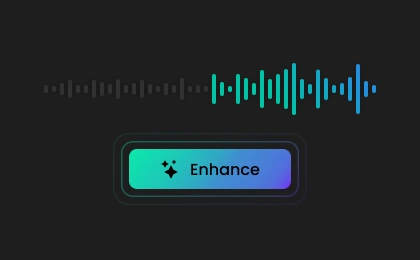
Step 2. Enhance Podcast Audio
Click the "Enhance" button to automatically reduce noise, normalize volume, and improve clarity, delivering cleaner, more professional podcast audio with AI.
3
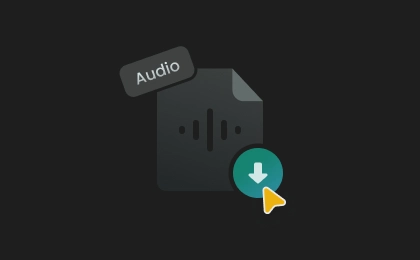
Step 3. Download Enhanced Audio
Processing takes seconds to minutes, depending on the file length. Once complete, preview your enhanced audio and download the final file.
What Users Say About Our Podcast Audio Enhancer
 Rated 5
LK
Linda Kim
Rated 5
This audio enhancer makes my podcast sound like it was recorded in a studio! Even with basic equipment, the improvement is noticeable. The interface is simple, and the results are consistently reliable.
HF
Hannah Fischer
Rated 5
FineVoice’s podcast audio enhancer stands out for its simplicity and results. It removes background noise, improves clarity, and balances volume effortlessly. What used to take me hours in editing software now takes just minutes, and makes my podcast production process much more enjoyable.
DW
Daniel Whitmore
Rated 5
FineVoice has become an essential part of my podcast workflow. It handles noise reduction and voice enhancement so well that my recordings sound clean and professional every time. I especially like how natural the output sounds, without that over-processed or artificial feel.
IR
Isabella Romano
Rated 5
It’s easy to achieve studio-quality podcast sound using the AI-powered enhancer tool. I upload my file, click enhance, and download the final version. The process is fast, reliable, and consistently delivers clean, professional audio ready for publishing.
BN
Benjamin Novak
 Rated 4
Noticeably improved my podcast audio quality. It reduced noise effectively, and my voice sounds clearer. It occasionally smooths things a bit too much, but overall it saves me a lot of editing time and effort.
EP
Elena Petrova
Rated 4
What impressed me most is how fast it works. I upload my audio and get clean sound quickly. Sometimes I tweak the result slightly afterward, but it still saves me a lot of time.
MB
Marcus Bennett
Rated 4
This tool is a game changer for podcasters. I often record in less-than-ideal environments, and FineVoice removes most of the noise and echo effectively. Occasionally, I wish there were more manual controls, but for quick fixes, it works incredibly well.
CM
Carlos Mendez
Rated 4
I was surprised by how much FineVoice improved my audio quality. The clarity and balance are excellent, though in some cases I make small adjustments afterward. Still, it simplifies my workflow and delivers professional results much faster than manual editing.
SD
Sophie Dubois
More Than Just an AI Podcast Audio Enhancer
Besides an AI audio enhancer for podcasts, explore more AI-powered tools to create, enhance, and transform your audio content.
FAQs About FineVoice Podcast Audio Enhancer
1. Can AI enhance my podcast audio quality?
Yes. FineVoice AI enhances your podcast audio by reducing noise, improving clarity, and balancing volume to deliver cleaner, more professional sound.
2. What types of podcast audio issues can the enhancer fix?
3. Does this podcast audio enhancer work for long podcast episodes?
4. Will the podcast audio enhancer change my voice tone?
5. Do I need audio editing experience to use this tool?
6. Is this AI podcast voice enhancer free to use?
 FineVoice
Ready to Enhance Your Podcast Audio?
Instantly improve clarity, eliminate noise, and balance audio levels to achieve clean, studio-quality podcast sound in seconds with AI—no sign-up or technical skills required.

I use this tool for my podcast interviews, and the difference is huge. It balances audio levels and cleans up noise automatically. My recordings now sound consistent and polished without spending hours editing.
Samuel Ndlovu