FineVoice AI removed room echo without making my voice sound robotic. It was fast, simple, and surprisingly accurate.
Remove Echo from Audio Online
Remove unwanted echoes from your audio recordings instantly. Our AI echo remover automatically detects and reduces room echo, acoustic echo, hall echo, and unwanted reflections for clearer, more natural-sounding audio.


Drag & drop audio here or click to upload
Supported formats: MP3, AAC, AMR, M4A, WAV · Max duration: 20 min · Max size: 30MB
Before & After
Original
00:00
Cleaned
00:00

4.9 / 5.0

Based on User Reviews

500+
Media Mentions & Features
10M+
Users Worldwide
Trusted by Creators, Leading Media, and AI Communities Worldwide











Transform Echo-Filled Audio into Clear Speech
Transform echoey recordings into cleaner, more intelligible audio with our AI-powered echo removal. It reduces unwanted reflections, room echo, and acoustic interference that make voices sound distant or unclear. Whether you're working on podcasts, voiceovers, meetings, or video recordings, FineVoice helps improve speech clarity and creates a more professional listening experience without complicated audio editing.
Automatically Detect and Remove Echo with AI
FineVoice uses advanced AI to analyze your audio and identify echoes intelligently. It then automatically reduces echoes while maintaining the original sound quality. No manual adjustments are needed—simply upload your audio and let the AI process your recording to achieve clearer, more balanced sound in seconds.
Remove Echo While Keeping Your Voice Natural and Authentic
Remove unwanted echoes while keeping your voice sounding natural and authentic. Our AI echo remover is designed to enhance clarity without making voices sound artificial or distorted. It preserves vocal tone, emotion, and details, making it ideal for podcasts, narration, online courses, interviews, and professional voice recordings where clear and natural speech quality matters.
Why Choose FineVoice AI Echo Remover
Remove unwanted echo effortlessly with AI. FineVoice delivers clear, natural-sounding audio through fast online processing, broad format support, and no sign-up required.

One-Click AI Enhancement
FineVoice AI automatically detects and removes unwanted echo from your audio, improving voice clarity while preserving natural tone and delivering professional-quality audio.

Works in Seconds Online
Enhance your recordings quickly online with a simple upload, automatic processing, and instant download workflow, directly from your browser.

Supports Popular Formats
Eliminate echo and enhance audio files in MP3, WAV, AAC, M4A, AMR, and other popular formats for flexible editing and seamless compatibility.

No Sign-Up Required
Remove echo and reverb instantly without downloads, installations, or account registration. Enjoy a fast and convenient online audio enhancement experience.
How to Remove Echo from Audio Online
Remove unwanted echo from your recordings in three simple steps. Upload your audio, let AI enhance it automatically, and download the clearer result in seconds.
1
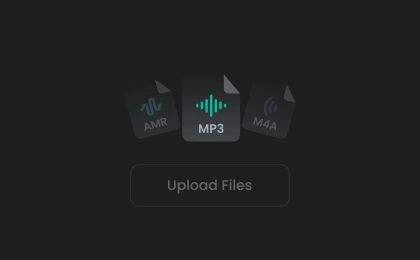
Step 1. Upload Your Audio
Upload your audio file by clicking or dragging it into the AI echo remover. You can also record audio directly using our built-in online voice recorder.
2
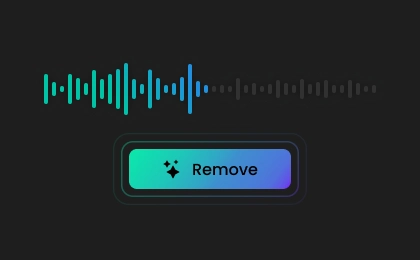
Step 2. Remove Echo
Choose your preferred output format, then click "Remove Echo" to instantly reduce room echo, acoustic echo, and unwanted reflections with AI.
3
Step 3. Save Cleaned Audio
Your audio is processed in just seconds. Preview the enhanced result, then download the cleaner, clearer recording for sharing, editing, or publishing.
Popular Use Cases for AI Echo Removal
Reduce echo and improve audio clarity for every recording. FineVoice AI Echo Remover helps you create cleaner, more professional sound across a wide range of audio projects.
Podcasts & Voiceovers
Audiobook Narration
Interview Recordings
Lecture & Training Audio
Music & Vocal Recordings
Podcasts & Voiceovers
Remove unwanted echoes from podcasts and voiceovers to produce clear, natural-sounding audio that keeps listeners engaged from start to finish.
What Users Say About Our AI Echo Remover
 Rated 5
C
Circuit
Rated 5
I recorded an interview in a large office where the room echo made every response sound distant. FineVoice reduced the echo in minutes, making the voices much clearer.
P
PineHarbor
Rated 5
The entire process is quite simple. I uploaded my recording and let AI remove the echo, then downloaded a noticeably cleaner audio file in just a few moments.
I
InkAndWave
Rated 5
I use it to remove the echo from audiobook narration, and it preserves the warmth of my voice. Nice echo removal tool.
D
DriftSignal
Rated 5
Thanks to FineVoice echo remover, I saved a voiceover project recorded in a reflective room. The improvement in speech clarity was immediately noticeable.
N
North_E
Rated 5
The AI removed unwanted echo and enhanced clarity without making the voice sound artificial, saving me a lot of time compared with manually adjusting audio settings.
L
Lumen
Rated 5
It is a great solution for cleaning up educational audio. I used it to improve lecture recordings with room echo, and the results were excellent. The speech sounds clearer and more professional now.
CW
Copper Whale
Rated 5
I tested it on several MP3 and WAV files, and the results were consistently impressive. Definitely one of the easiest audio tools I've used.
M
Marble
 Rated 4
The echo reduction works very well, especially for indoor recordings. I just wish the free version offered a little more processing time.
M
M.R.
More Than Just an Echo Remover from Audio
In addition to echo removal, FineVoice offers a range of specialized AI audio enhancement tools to transform your recordings into clean, studio-quality sound.
FAQs About FineVoice AI Echo Remover
1. What audio formats are supported for removing echo?
We support all popular audio formats, such as MP3, AAC, WAV, M4A, AMR, and more.
2. Can I use the AI audio echo remover for free?
3. What types of echo can this tool remove?
4. Will removing echoes affect voice quality?
5. How long does it take to remove echo from audio?
6. How to remove echo from an iPhone recording?
 FineVoice
Ready to Remove Echo from Your Audio?
Easily remove unwanted echoes to make your audio clearer with FineVoice AI. Try the free echo removal tool and get clean, professional-sounding audio in seconds-no software or sign-up required.

I've tried several echo removal tools, but FineVoice gave me the cleanest results. My podcast recordings sound much more professional now.
A_Nomad