
Drag & drop file here or click to upload
Supported formats: MP4, MOV, WMV, MPEG, FLV, WEBM · Max duration: 30 min · Max file size: 300MB
Turn any YouTube video into accurate text instantly with our free AI YouTube transcript generator. Generate transcripts with speaker labels, precise timestamps, and support for 99+ languages.
Drag & drop file here or click to upload
Supported formats: MP4, MOV, WMV, MPEG, FLV, WEBM · Max duration: 30 min · Max file size: 300MB
Or try our sample videos:

How to Generate Sound Effects with AI - FineVoice SFX
04:59

How to Create a Talking AI Avatar Video with Perfect Lip Sync in 2026
04:36

4.9 / 5.0

Based on User Reviews

500+
Media Mentions & Features
10M+
Users Worldwide
Trusted by Creators, Leading Media, and AI Communities Worldwide











Generate accurate YouTube transcripts in seconds with our AI-powered YouTube transcript generator. Copy the complete transcript or download it in TXT, SRT, VTT, or JSON formats with segment-level and word-level timestamps in one click, perfect for subtitles, editing, documentation, content repurposing, and searchable transcript workflows across different platforms.
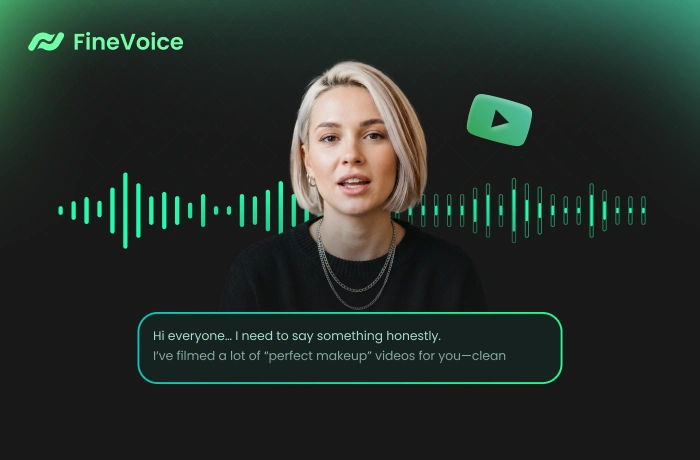
Using advanced automatic speech recognition technology, FineVoice lets you transcribe YouTube videos even when captions or subtitles are unavailable. It automatically extracts spoken dialogue, narration, or discussions from the video into readable, structured text without manual typing or complex editing, saving you hours of repetitive transcription and post-production work.
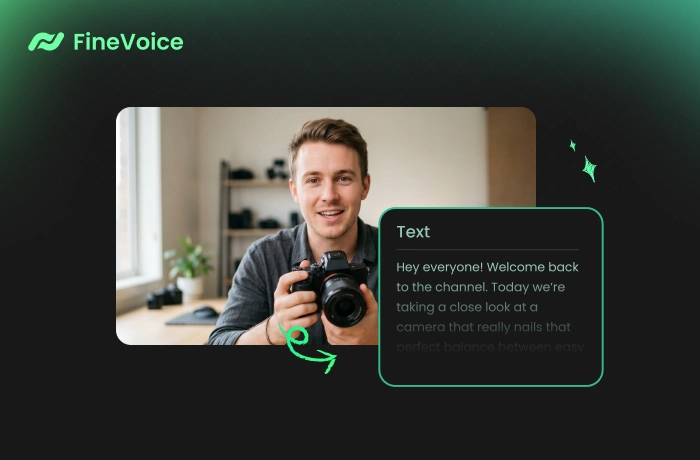
Transform YouTube videos into structured text with accurate speaker labels and timestamps. Quickly locate important quotes, topics, action items, or discussion points without replaying the entire video. Ideal for long-form YouTube content, such as interviews, tutorials, educational videos, podcasts, and professional presentations.
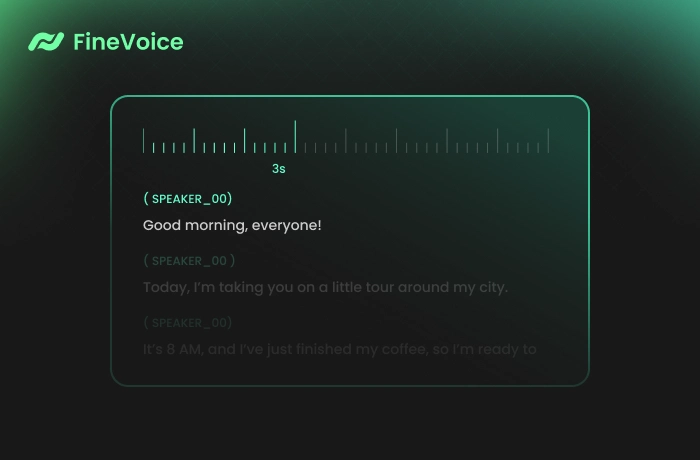
Our advanced transcription engine delivers fast, accurate YouTube transcription with speaker labels, timestamps, multilingual support, flexible export options, and secure, private processing — all online and no registration required.


Follow the 3 simple steps to convert YouTube videos into searchable text, subtitles, or timestamped transcripts instantly with FineVoice AI.
Paste a YouTube URL or upload a file from your device or cloud storage. Our YouTube to text converter supports all major video formats.
Adjust settings, then click the "Transcribe" button to let AI automatically extract and transcribe spoken content from the YouTube video.
Once complete, preview the transcript and download it in TXT, SRT, VTT, or JSON format for subtitles, notes, editing, or content repurposing.
Discover how our YouTube video transcript generator helps across a wide range of real-world video transcription workflows.
Content Creators
Students & Educators
Journalists & Researchers
Business Professionals
Turn YouTube videos into subtitles, blog posts, social media content, newsletters, and searchable transcripts to speed up content repurposing and publishing workflows.
 Rated 5
FineVoice's speaker labeling and subtitle exports worked surprisingly well for my interview videos and podcast clips on YouTube.
Kevin Morales
Rated 5
FineVoice makes it easy to turn YouTube lectures into organized notes with timestamps. I especially like the multilingual transcription support for educational and international content workflows.
Sofia Reynolds
Rated 5
I use this transcript generator for repurposing YouTube videos into blog posts. The transcripts are accurate, structured, and save me hours every week during content production.
Ethan Walker
Rated 5
The interface is clean, and transcription is fast. I can easily generate subtitles from long YouTube videos with only a single click.
Chloe Bennett
Rated 5
As a content creator, I constantly need searchable transcripts from YouTube videos for SEO, subtitles, and social content repurposing. FineVoice generates accurate transcripts rapidly and handles long-form interviews surprisingly well, even with multiple speakers and different accents.
Nathan Cole
Rated 5
FineVoice completely simplified my workflow for transcribing YouTube tutorials. I can instantly copy transcripts, export subtitle files, and search through long discussions without replaying entire videos. Quite a useful tool!
Isabelle Turner
 Rated 4
This YouTube transcription tool is easy to use, with accurate transcripts, quick exports, and reliable timestamp generation.
Ava Sinclair
Rated 4
It turns YouTube tutorials into organized notes and study materials within just seconds. Quite fast and easy to use.
Mia Laurent
Rated 4
This tool helped me generate subtitles for several YouTube interviews without downloading software. Fast processing, accurate speaker detection, and convenient export formats made the entire workflow much smoother.
Lucas Meyer
Explore more related AI tools to generate transcripts or voices with FineVoice.
 FineVoice
Start Transcribing YouTube Videos Effortlessly
Convert YouTube videos into searchable transcripts in seconds. Copy or download text with timestamps and speaker labels — free online and no sign-up required.

The tool extracted YouTube transcripts instantly with accurate timestamps. Much faster than copying captions manually from videos.
Daniel Brooks