







On short-form videos, you have less than three seconds to hook an audience. Adding these aggressive glitch sfx and fast swishes to my jump-cuts dramatically boosted my viewer retention rates. Absolute game-changer for social media ads.
Elevate Your Video Editing with Premium Transition Sound Effects
Create smooth, cinematic, and professional transition sound effects for any creative project. From fast whooshes and swishes to dramatic sweeps and motion-based audio effects, FineVoice instantly enhances scene changes, visual cuts, and motion graphics with high-quality transition sound design. Perfect for video editors, filmmakers, game developers, and content creators.
Meet FineVoice AI Transition Sound Effects Generator
Can't find the exact sweep or swish to match the frames on your editing timeline? FineVoice AI Transition Sound Effects Generator lets you instantly create custom transition audio to suit your creative needs. Whether you need fast whooshes for action cuts, smooth swishes for scene changes, or dramatic sweeps for cinematic reveals, the AI generates professional-grade sound effects tailored to your input in seconds. Describe your desired transition style, and FineVoice will generate multiple high-quality variations ready for use in videos, games, trailers, and motion graphics.
 30 credit(s)
 Examples:
0/250
Duration:6s
How to Create Cinematic Transition Sounds in 3 Simple Steps with FineVoice
Creating professional Transition Sound Effects with FineVoice is fast and intuitive. Whether you need cinematic whooshes, smooth swishes, or dynamic motion transitions, follow this straightforward, three-step workflow to instantly transform flat visual cuts into a highly immersive multimedia experience.
1
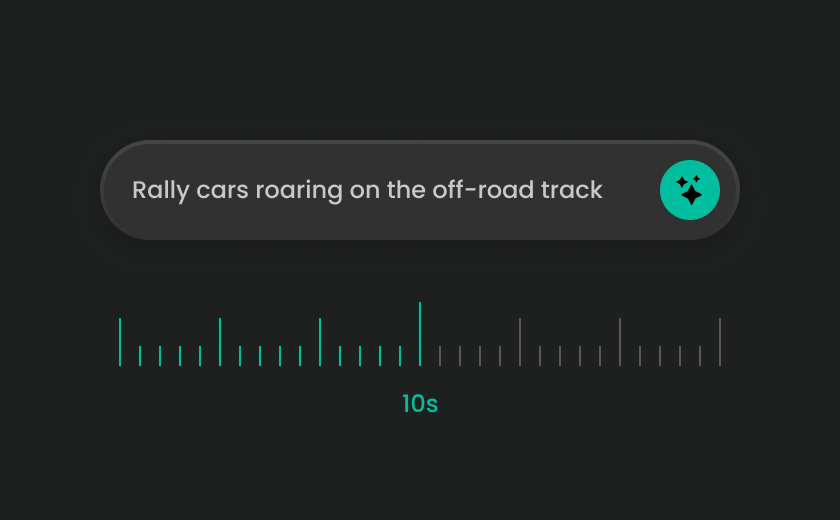
Step 1: Discover or Synthesize Your Ideal Video Transitions
Explore our pre-rendered categories of transition sounds, or input a descriptive text prompt into our built-in AI sound design generator to engineer a tailored audio movement from scratch.
2
Step 2: Define Style, Intensity & Scene Context
Adjust the intensity to make your transition sound soft, subtle, sharp, or powerful, and define how the audio interacts with visuals, such as fast scene cuts, slow fades, motion graphics, or dynamic transitions.
3
Step 3: Generate, Preview & Download
Once you find the perfect transition sound, simply download it and apply it directly to your video, game, or motion project for a seamless and professional audio experience.
Explore & Download More Designed Sound Effects
Explore different styles of Transition Sound Effects designed for various creative workflows. Whether you're editing fast-paced videos or crafting cinematic storytelling sequences, these subcategories help you find the perfect transition audio quickly.
Explore All FineVoice Sound Effects Categories
Discover the full FineVoice Sound Effects library, designed for every type of creative production. From cinematic and designed audio to natural recordings and interactive UI sounds, FineVoice provides everything you need to build immersive sound experiences across videos, games, films, and digital content.
What Users Say About Our Transition Sound Effects
Creators around the world use FineVoice Transition Sound Effects to enhance scene changes, improve storytelling flow, and add professional polish to their content. Here’s what users are saying.

4.9
TrustScore

95%
User Satisfaction

10M+
Users Worldwide
 Rated 5
ML
Maya Lin — TikTok Content Strategist
Rated 5
I edit high-energy gaming montages for professional teams. The transition hits and deep bass drops in this library are perfectly mastered. They cut straight through heavy electronic background music without clipping or muddying up the mix.
EB
Ethan Brooks — Esports Video Editor
Rated 5
I love how clean the digital transition effects are for tech explainer videos. Pop-up graphics and 2D vector animations look and feel incredibly natural when paired with the subtle, crisp interface clicks found here.
NG
Nina Gomez — Corporate Motion Designer
 Rated 4
The uncompressed MP3 file downloads are exceptional. I can easily stretch or pitch-shift a whoosh sound effect in my timeline to match a specific fade-to-black duration without losing audio fidelity. Highly recommend the premium plan.
JF
Julian Foster — YouTube Film Critic
Rated 5
The Web-to-PC app syncing is brilliant. I can find a sci-fi transition sfx on the web library, hit sync, and immediately trigger it live during my Twitch broadcasts via hotkeys on my FineVoice desktop soundboard.
ZH
Zoe Hendricks — Live Streamer & YouTuber
Rated 5
FineVoice has completely simplified our licensing workflow. Being able to download premium, royalty-free transition video cuts for freelance client projects without worrying about hidden copyright claims saves our agency a massive amount of legal stress.
RG
Ryan Gallagher — Commercial Director
Rated 4
The stylized anime sword slashes and rapid speed-line whooshes are exactly what I needed. I use the AI transition generator whenever I need a super-specific electronic stutter effect that isn't already in the standard packs.
CD
Clara Dupont — Anime Music Video (AMV) Editor
Rated 5
In documentary editing, you need subtle, organic movement of audio to shift between archival footage and live interviews. The ambient textures and deep downer transition sound effects here work beautifully to establish tone.
TR
Tyler Reed — Documentary Filmmaker
Rated 5
We produce app preview videos for the App Store. FineVoice's clean swooshes and holographic interface transition noises perfectly highlight swipe gestures and screen transitions. They give the entire product demo a premium feel.
IR
Isabella Rossi — UI/UX Video Producer
FAQs About FineVoice Transition Sound Effects
1. What are Transition Sound Effects?
Transition Sound Effects are audio clips designed to enhance movement and connect scenes seamlessly in videos, films, games, podcasts, and animations. Common transition sounds include whooshes, swishes, sweeps, risers, and reverse effects, all of which help create smoother edits, emphasize visual motion, and make content feel more engaging and professional.
2. What are transition sound effects used for in video editing?
3. Can I get royalty-free transition sound effects on FineVoice?
4. Can I generate custom Transition Sound Effects with AI?
5. How do I choose the right transition sound effect for my project?
6. What types of Transition Sound Effects can I create with FineVoice?
7. Can I use Transition Sound Effects for YouTube videos?
8. How can I make my video transitions sound more cinematic?
9. Can I customize the style and intensity of Transition Sound Effects?
10. Do I need audio editing experience to use FineVoice Transition Sound Effects?
11. What projects can benefit from Transition Sound Effects?
 FineVoice
Create Smooth Transitions with Transition Sound Effects
Enhance every visual moment with professional Transition Sound Effects designed for modern content creation. From cinematic swishes to dynamic audio, FineVoice helps you create seamless scene changes and elevate storytelling instantly. Explore thousands of ready-to-use sounds or generate your own with AI in seconds.
Download Free Transition Sound Effects
A great travel vlog relies entirely on fast pacing and whip-pan camera movements. FineVoice’s collection of cinematic whoosh sound effects has completely elevated my transitions. My edits feel incredibly fluid and high-budget now.
Oliver Vance — Travel Vlogger