




What I like is how usable they are straight away. I don’t need to process anything—just pick an MP3 hit sound and drop it into combat or UI feedback. It saves a lot of time when iterating gameplay feel.
Deliver Maximum Impact with Visceral Hit Sound Effects
Every impact tells a story. Hit Sound Effects are designed to give weight, force, and physical realism to what audiences see on screen. Whether it’s a punch, collision, object drop, or cinematic strike, these sounds turn visual action into something you can feel—tight, powerful, and instantly noticeable. Whether you are scoring a bone-crunching martial arts showdown, adding tactile feedback to a video game interface, or sound-designing a high-octane sports compilation, our curated vault of blunt-force impacts, cinematic slams, and sharp arcade strikes ensures every collision shatters the speakers and leaves a lasting impression on your audience.
FineVoice Cinematic AI Sound Effects Generator
Struggling to find that elusive, spine-chilling "Hans Zimmer style" brass blast or a tension riser that peaks at the exact second your scene cuts? The FineVoice AI Sound Effects Generator acts as your virtual Hollywood Foley stage and orchestral pit. Simply describe the scale, texture, and dramatic weight of the theatrical element you need, and our text-to-audio AI will synthesize a completely original cinematic masterpiece in seconds.
 30 credit(s)
 Examples:
0/250
Duration:6s
How to Create Hit Sound Effects in 3 Simple Steps with FineVoice
Creating professional Hit Sound Effects with FineVoice is fast and intuitive. Follow this straightforward, three-step workflow to instantly transform flat visual cuts into sound in a structured way.
1
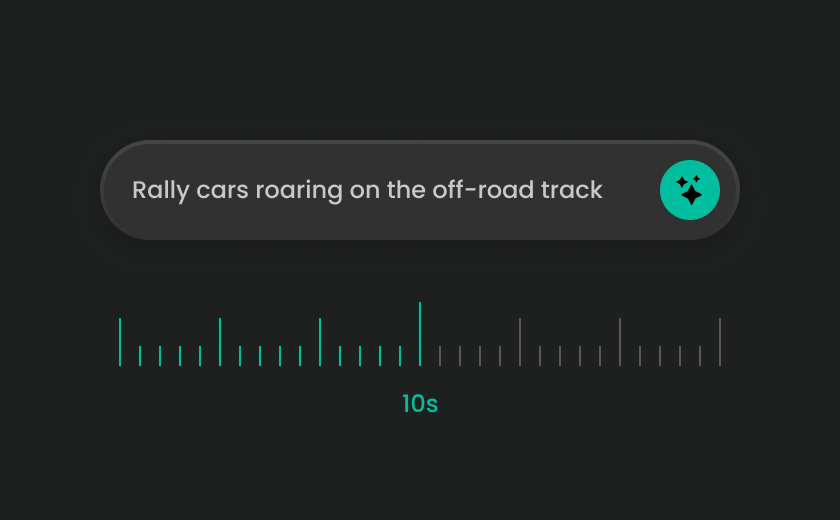
Step 1: Search for the Type of Impact You Need
Start by thinking about what is actually hitting what. Each material produces a different sonic character. You can browse or search using terms like "impact hit sound," "punch SFX," "collision sound," "break impact audio," or "cinematic hit effects" to find a starting point that matches your visual moment.
2
Step 2: Generate a Custom Impact Sound
You can generate a custom hit effect by describing the action in detail. Think in terms of weight and force—light tap, solid punch, heavy cinematic strike, or explosive collision. You can also define texture, such as dry impact, metallic crash, soft thud, or layered cinematic boom.
3
Step 3: Preview & Download the Right Hit Audio
Generate multiple hit sound variations and preview how each one supports the visual action. Once selected, download the MP3 file and apply it directly to your edit.
Explore & Download More Designed Sound Effects
Every creative genre requires a distinct type of acoustic force. Explore our highly targeted subcategories of hit sound effects to locate the exact energy your creative layout commands.
Explore All FineVoice Sound Effects Categories
High-energy hit sounds are excellent for adding sharp punctuation, but full multimedia production requires a complete sonic landscape. FineVoice offers a variety of sound effects covering motion, emotion, impact, and atmosphere.
What Creators Say About FineVoice Hit Sound Effects
Hit sound effects are widely used in action editing, motion design, and game production where timing and physical impact need to feel believable. Here’s how creators describe their real workflow experience.

4.9
TrustScore

95%
User Satisfaction

10M+
Users Worldwide
 Rated 5
SC
Sophie Carter — Game Audio Designer
Rated 5
The layered impact sounds are especially useful for trailer climaxes. I used them in a recent product teaser and they helped build a stronger sense of scale without adding too much music complexity.
DB
Daniel Brooks — Trailer Editor
Rated 5
I rely on these for animation timing. When a keyframe hits, the sound gives it weight. It makes even simple motion graphics feel more intentional and polished.
EW
Emily White — Motion Designer
Rated 5
For fast-paced edits, consistency matters more than anything. These hit sounds help me keep visual rhythm tight across different videos without spending time searching for effects every time.
JL
Jason Lee — YouTube Content Creator
Rated 5
I like that everything is ready in MP3 format. I can quickly test different impact levels in a timeline and adjust based on pacing without breaking my workflow.
OB
Olivia Brown — Freelance Video Editor
Rated 5
They’re especially useful for Reels and TikTok edits. Even small visual actions feel more structured when paired with a well-timed hit sound.
RM
Ryan Miller — Short-Form Content Producer
Rated 5
I use them in animation previews. It helps clients immediately understand motion intention when key actions are reinforced with impact audio.
MJ
Mia Johnson — Digital Artist & Animator
Rated 5
The variety is what makes it useful. I can go from subtle UI-style hits to full cinematic impacts depending on project tone.
EC
Ethan Clark — Commercial Video Editor
Rated 5
They make fast edits feel less random. Everything sounds more aligned with the visual pacing, especially in high-volume content production.
AW
Ava Wilson — Social Media Editor
FAQs About FineVoice Hit Sound Effects
1. What are Hit Sound Effects used for in editing?
Hit sound effects are used to emphasize physical actions such as punches, collisions, drops, or strikes. They help translate visual impact into audible force, making scenes feel more realistic and engaging.
2. Are Hit Sound Effects only used in action scenes?
3. Can I use Hit Sound Effects in commercial projects?
4. What format are Hit Sound Effects available in?
5. Can I create custom hit sounds with AI?
6. Can Hit Sound Effects be used in games?
7. Do I need sound design experience to use them?
8. How do hit sounds affect editing rhythm?
9. Why is timing more important than volume in hit sound design?
10. How do game developers typically use hit sounds?
 FineVoice
Make Every Impact Count with Hit Sound Effects
Great action scenes are not just seen—they are felt. FineVoice Hit Sound Effects help you turn visual force into audible weight, making every punch, collision, and strike more powerful, realistic, and cinematic. Whether you're editing films, games, or digital content, you can instantly generate or download impact sounds that bring your visuals to life.
Download Free Hit Sound Effects
I used to struggle with making punch and collision scenes feel convincing. These hit sounds solved that instantly. The tighter ones work great for close-up impacts, while the heavier variations sit perfectly in trailer sequences without overwhelming dialogue.
Marcus Reed — Film Editor (Action & Trailer Cuts)