








Fast transitions are a huge part of my editing style, and these swish sound effects make every cut feel much more polished. I like that I can quickly preview different options and download the one that best matches the speed of my footage.
Swish Sound Effects for Motion Graphics, Transitions & Fast Cinematic Cuts
What does speed actually sound like? When a samurai sword parts the air, a basketball rips through the net without touching the rim, or a camera violently whips toward a new subject, the eyes require audio validation. Welcome to FineVoice, the definitive source for organic, high-velocity swish sound effects. These fluid, aerodynamically mastered accents provide the essential acoustic layer that transforms a simple motion graphic into a believable physical event. From razor-sharp weapon swings to soft, airy cloth flutters, feel the wind rush through your speakers.
FineVoice AI Swish Sound Effects Generator
Our AI Swish Sound Effects Generator allows you to transform motion ideas into fully designed audio that follows speed, direction, and visual energy. Instead of selecting from preset clips, you can describe how something moves on screen, and the AI will create a swish sound that matches that exact motion behavior. Whether you are working on fast cinematic camera transitions, smooth slow-motion fabric movements, dynamic sports highlight cuts, or futuristic UI swipe animations, the generator adapts to the visual rhythm of your project and produces audio that feels naturally synchronized with movement.
 30 credit(s)
 Examples:
0/250
Duration:6s
How to Craft Aerodynamic Swish Sound Effects with FineVoice
Swish sound design is about matching the audio to the motion's speed and visual direction. Adding breathtaking motion profiles to your post-production sequence is as easy as three frictionless steps with FineVoice.
1
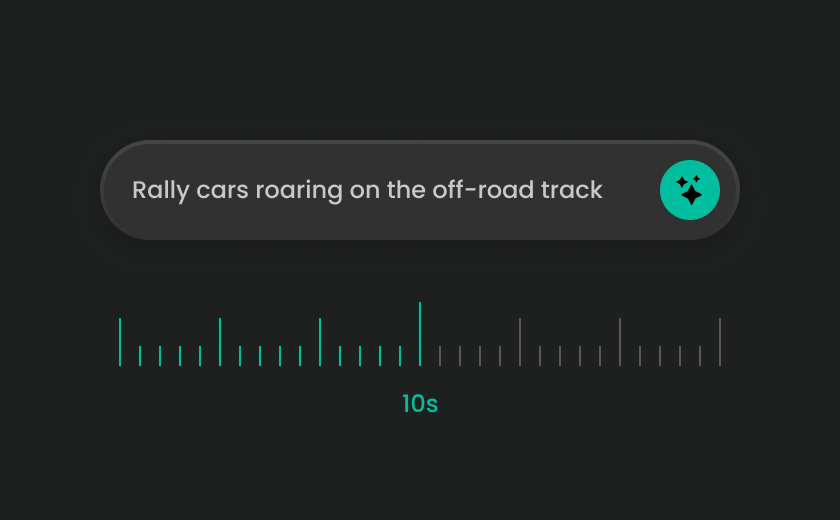
Step 1: Search for Swish Sound Effects
Browse the library of swish sound effects designed for motion-based editing. You’ll find fast swipes, slow cinematic passes, sports motion trails, and UI transitions.
2
Step 2: Generate Custom Swish Sound Effects
Use AI to design motion-specific audio. Example prompts: “fast cinematic swish for camera whip pan transition with air drag texture,” “smooth futuristic UI swipe motion with soft energy trail sound”.
3
Step 3: Preview & Download the High-Quality Audio
Preview your swish sound against your animation or edit timeline. Adjust timing until motion feels natural and fluid. Once finalized, download in MP3 format, ready for editing tools, game engines, or motion graphics software.
Explore & Download More Designed Sound Effects
A single swish can make an edit feel smoother, but combining different designed sound effects helps create richer movement and stronger visual storytelling. Whether you're editing a cinematic sequence, animating a user interface, or producing short-form content, layering complementary sounds can add depth, direction, and impact to every transition. Explore more designed sound effects to build complete motion-driven audio experiences.
Discover the Right Sound Effects for Every Creative Project
Every project tells a different story, and every story needs the right sound. FineVoice organizes thousands of sound effects into intuitive categories, helping you quickly discover audio that matches your content, editing style, and creative goals. Whether you're producing cinematic trailers, gaming videos, podcasts, sports highlights, animations, or social media content, you'll find professionally designed sound effects that fit naturally into your workflow.
What Users Say About FineVoice Swish Sound Effects
Smooth motion deserves equally smooth audio. From fast-paced social media edits to cinematic camera movements, creators use Swish Sound Effects to make every transition feel intentional and visually connected. Here's how FineVoice helps professionals and hobbyists bring movement to life.

4.9
TrustScore

95%
User Satisfaction

10M+
Users Worldwide
 Rated 5
IT
Isabella Turner — YouTube Video Editor
Rated 5
I edit highlight reels for basketball and football games, and motion sound effects are essential. The swishes help connect camera pans, player movements, and replay transitions without overwhelming the commentary or background music.
MC
Marcus Chen — Sports Content Producer
Rated 5
I've used the AI generator to create custom swipe sounds for mobile app prototypes, and the results are surprisingly natural. Instead of spending time editing stock audio, I can generate sounds that perfectly fit the interface animations.
CS
Chloe Simmons — UI/UX Animator
Rated 5
Our team creates promotional videos for brands, and smooth transitions are key to maintaining a premium look. These swish sound effects add just enough movement without distracting from the product, making the final edit feel much more refined.
AF
Adrian Foster — Commercial Video Producer
Rated 5
I appreciate how easy it is to find both subtle and energetic swish effects in one place. Whether I'm editing a logo animation or a fast-paced reel, I can always find something that complements the visuals instead of competing with them.
GM
Grace Mitchell — Freelance Motion Designer
Rated 5
Game trailers rely on movement, speed, and excitement, so transition sounds need to feel dynamic. FineVoice gives me the flexibility to mix ready-made swishes with AI-generated effects, which helps every trailer sound unique.
LP
Liam Patterson — Game Trailer Editor
Rated 5
I produce a lot of short promotional videos for social media, and adding swish effects instantly improves the pacing. Even simple text animations feel much more engaging when they're paired with the right motion sound.
ZR
Zoe Richardson — Digital Marketing Specialist
Rated 5
What impressed me most is the consistency. The swish sounds don't feel repetitive, and the AI-generated versions blend naturally with other cinematic effects like risers and impacts. It makes building a complete sound design much easier.
KM
Kevin Morales — Independent Filmmaker
Rated 5
I don't have a background in sound design, but FineVoice makes the process incredibly approachable. I can search, generate, preview, and download swish sound effects in just a few minutes, which saves me a lot of editing time while making my videos look and sound far more professional.
HC
Hannah Cooper — Content Creator
FAQs About FineVoice AI Swish Sound Effects
1. What are swish sound effects typically utilized for in post-production?
In professional audio engineering, swish sound effects (often called air-cutting sounds or fast whooshes) simulate the friction of an object traveling through space at high velocities. They are heavily used for weapon swings, fast sports movements, text animations, and quick camera transition cuts.
2. Where can I download free swish sound effects?
3. Can I generate custom swish sound effects with AI?
4. Can I use swish sound effects for social media content?
5. What should I write in an AI prompt for swish sound effects?
6. Can I combine swish sound effects with other sound effects?
7. Do I need professional editing experience to use swish sound effects?
8. Are these swish sound effects safe for monetization on platforms like YouTube?
9. Do you offer sci-fi or electronic variations of swish sound effects?
 FineVoice
Enhance Every Motion with Swish Sound Effects
From fast cuts and sports highlights to cinematic transitions and UI animations, swish sound effects bring motion to life. Explore ready-made audio or generate AI-powered swish sounds that perfectly match your visual flow and editing rhythm.
Download Free Swish Sound Effects
I create explainer videos and product animations almost every day, so I use swish sounds constantly. The library has a great variety of styles—from soft, subtle movement to fast cinematic swipes. The AI generator is especially useful when I need a transition that matches a specific animation instead of forcing a generic sound to fit.
Nathan Brooks — Motion Graphics Designer