Format flexibility is a game-changer! FineVoice Audio Cutter not only supports various audio formats on upload but also lets me export my trimmed audio in the format of my choice. It is versatile and user-friendly.
Audio Cutter Online
Trim and cut any audio file online for free. No sign-up required.


Drag & drop audio here or click to upload
Supported formats: MP3, WAV, M4A, AAC, OGG, FLAC, WMA, AMR, etc.

4.9 / 5.0

Based on User Reviews

500+
Media Mentions & Features
10M+
Users Worldwide
Trusted by Creators, Leading Media, and AI Communities Worldwide











Trim Audio Online in Seconds | No Sign-up Required
FineVoice Online Audio Cutter makes it easy to trim songs, recordings, and audio clips with precision. Remove unwanted parts for cleaner audio, save specific sections as highlights or samples, create personalized ringtones, and reduce file size for easier storage and sharing—all without compromising sound quality.
Why Use Our Audio Trimmer
Choose FineVoice for fast, simple, and precise audio trimming across any device. Cut audio at exact moments without losing quality, all directly in your browser with no installation or registration required.

Fast & Easy
Trim audio files in just a few clicks with a simple interface. Upload, cut, and export your audio within seconds.

Precise Trimming
Easily cut audio at the exact second you need for cleaner edits and more accurate results.

High-Quality Output
Keep the original audio quality while removing unwanted parts from your recordings.

Multiple Formats Support
Supports MP3, WAV, FLAC, AAC, M4A, and other popular audio formats for flexible online editing.

Web-Based & Cross-Platform
Use the audio file cutter directly in your browser on Windows, Mac, iPhone, Android, and tablets without installation.

Secure & Private
Your privacy matters. Uploaded files are processed securely and are not permanently stored after editing.
How to Cut Audio Online
Trim and cut audio files in just 3 simple steps with our free audio trimmer.
1
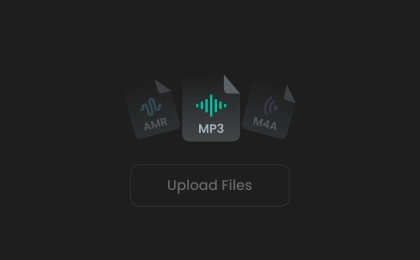
Step 1. Upload Your Audio
Drag and drop your audio file or click to upload it into the online audio clip trimmer tool.
2
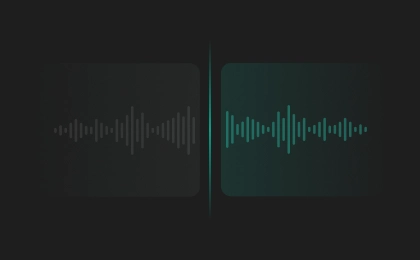
Step 2. Trim Audio
Move the trim handles to remove unwanted sections or enter an exact timestamp for more precise audio cutting.
3
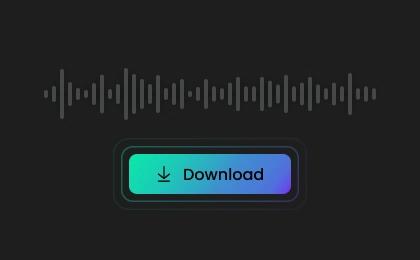
Step 3. Save Audio
Preview the trimmed audio, choose your preferred output format, and instantly save it to your device.
What Users Say About Our Audio Cutter
 Rated 5
MP
Moshe Pugh
Rated 5
The cross-device accessibility is a lifesaver. I can do audio clipping online from any device, ensuring I'm not tied to a specific location. Perfect for refining my creations on the go!
CR
Cindy R.
Rated 5
Its intuitive interface is a bliss for users at all levels. Whether you are a seasoned editor or a beginner, the easy navigation ensures a smooth editing process. Highly recommended!
HS
Herbert Sosa
Rated 5
Security and privacy matter to me, and FineVoice Audio Trimmer delivers. My files are secure, and I can focus on my creativity with confidence.
DC
Dennis Cabrera
Rated 5
This audio cutter is incredibly easy to use. I trimmed a long podcast recording in seconds without losing audio quality, and the export process was smooth and fast.
EH
Evelyn Harper
Rated 5
I use this tool to cut background music for videos and social posts. The trimming precision is excellent, and it works perfectly without installing any software.
ME
Marcus Ellington
Rated 5
Very convenient online audio file cutter. I uploaded an MP3, trimmed the exact section I needed, and downloaded it instantly. The interface feels clean, simple, and beginner-friendly.
CW
Clara Whitmore
Rated 5
Surprisingly simple editing process. I often create short ringtone clips from songs, and the output quality always stays clear and professional after trimming.
JP
Julian Prescott
Rated 5
This audio cutter saved me a lot of time when editing interview recordings. The precise trimming controls and fast processing make it much easier than traditional editing software.
AK
Amelia Kensington
More Than Just an Audio Trimmer
Discover more of our AI voice tools to make your audio content creation simpler and faster.
FAQs About FineVoice Online Audio Cutter
1. What audio file formats are supported?
FineVoice Audio Cutter supports MP3, WAV, OGG, M4A, AMR, FLAC, AAC, WMA, and many other popular audio formats.
2. Is the audio cutter compatible with mobile devices?
3. Can I preview my cuts before downloading?
4. Is my data safe when using this online audio trimmer?
5. What's the best audio trimmer for podcasts?
 FineVoice
Cut Audio Online for Free, No Sign-up
Cut audio files in any format online for free. Trim MP3, WAV, FLAC, AAC, M4A, and more with precise online audio cutting. No sign-up or credit card required.

This audio cutter makes audio editing a breeze. The interface is graceful and simple, allowing me to trim my audio effortlessly. It's the go-to tool for anyone who wants precision without the complexity.
Harley Leach